



ACCOUNT
Phone verification path
See which account fields come first and where phone confirmation appears. Completing that step before lobby access reduces confusion when cashier or security prompts later compare your details.
zigzag66 puts Live Blackjack Diamond, Aviator Mobile Play and badminton markets behind one account, with DANA and QRIS visible beside the cashier path.
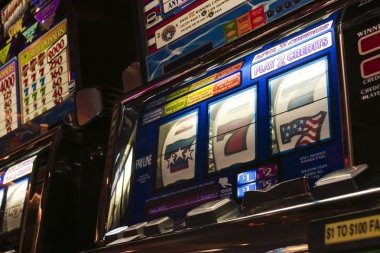

Slots appear first, followed by streamed dealer tables, fishing rooms and sports markets that share your account and wallet status.
Pragmatic Play, PG Soft and Habanero sit among the named studios, giving you recognisable slot and casino labels during lobby search.
DANA, OVO, GoPay and QRIS appear as named wallet choices, while virtual account and bank transfer support a bank-based route.
Several home areas deserve a closer look before your first cashier request or game session.
See which account fields come first and where phone confirmation appears. Completing that step before lobby access reduces confusion when cashier or security prompts later compare your details.

Check whether DANA, OVO, GoPay or QRIS is available and read the current transaction state. Receipt details remain important if you contact us about a pending update.

Open baccarat, roulette, Dragon Tiger or blackjack from the live area. Each table card shows its game context before the streamed dealer room loads on your screen.

Football, badminton and basketball markets have dedicated category paths. Badminton BWF Tour Bet provides a direct reference point for the badminton context configured for Indonesia.
A phone number and clear verification step come before account access, so you know what must be completed before entering the lobby.
Your phone browser carries the full route from account access to casino search, sports categories and cashier status. No separate app is required.
Phone verification creates a clear checkpoint before account access, while matching personal details support later withdrawal checks.
Complete the phone prompt before entering the full account area. This links the verification step to your account path and reduces uncertainty about access status.
Choose a password you do not reuse elsewhere and avoid saving it on shared equipment. Sign out when your session ends, especially outside your own device.
Cashier checks may compare your submitted details with the verified account record. Keeping names and other requested fields consistent helps us assess the transaction status.
Studio labels, table rules and category placement let you inspect a game before opening it. Where supplied, mathematical return details appear with the relevant title.
Scattered searches make it harder to confirm whether a game title, cashier route or help page belongs to the same account.
Game behaviour differs by category, so we present return data and table rules where supplied by the studio. A displayed RTP is a long-run mathematical value, not a result for one session.
Check the game panel for studio-supplied RTP and feature details. Individual session results can differ from the stated long-run mathematical figure.
Read table rules, card values and bet ranges before joining. Live Blackjack Diamond loads its dealer-table context within the live casino area.
The table panel identifies available positions and rules before the streamed dealer round begins. Confirm these details on each room you open.
Fortune Fishing Game uses its own controls and feature description. Open the title panel first to understand the displayed mechanics and screen layout.
Football, badminton and basketball selections show event-specific market terms. Read the selection status before confirming anything on your account.
Our home is configured for Indonesia, including local wallet names, Indonesian bank context and sports categories covering football, badminton and basketball. You can reach the browser-based lobby from Makassar on a supported phone, tablet or computer connection. Account availability depends on local law, and regional conditions may affect which services appear. Check the access wording and account prompts shown for your location before submitting personal or cashier details.
The useful parts of our home are visible before they become urgent: a clear account route, named local wallets, searchable game rooms, familiar sports categories, device-aware navigation and…
These answers cover the questions you are most likely to ask before opening an account from our home page. They explain what the lobby contains, how local wallets appear, what verification involves, how browser access behaves and where to seek help when a status remains unchanged.
Begin with account creation and complete the phone verification prompt before expecting full access. Next, open the lobby category that matches your interest: casino, slots or sports.
Enter the requested account details and finish phone confirmation. Full account access follows the status shown after that verification step is completed.
Use the main navigation for casino, slots or sports. Search and category filters help you locate a known title without scanning every room.
Select only a displayed wallet or bank route, then read the provider status after submission. Save the receipt reference for any later support check.
Choose live chat, email or mobile help according to the issue. Describe the screen message and relevant status, but never disclose your account password.